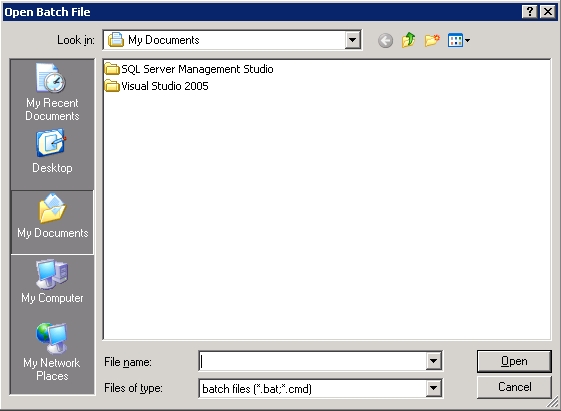
The ability to run batch jobs directly from the Double-Take Flex Management Console facilitates applying application upgrades and system patches on target boot images.
|
Note: |
To use the batch update feature, you must have the Microsoft iSCSI initiator installed on the Double-Take Flex Management Server. |
To run a batch job on an iSCSI volume, perform the following steps:
|
Note: |
In order to run the same batch job on multiple targets on the same iSCSI portal, you can choose multiple targets by pressing the <CTRL> key while clicking on the desired target in the right target list view of the portal, then select Batch Update in the Actions pane for Selected Items. |
The Double-Take Flex Management Console will log on to the iSCSI target using the Microsoft iSCSI initiator; you may now launch your batch file. After the batch file exits, you may log out from the iSCSI target. If you chose multiple targets, it will perform the action above for each target chosen sequentially.
Before launching your batch file, the Double-Take Flex Management Console also sets the following environment variables:
Below is a sample batch file.
SET iscsi_disk
SET iscsi_drive
PAUSE
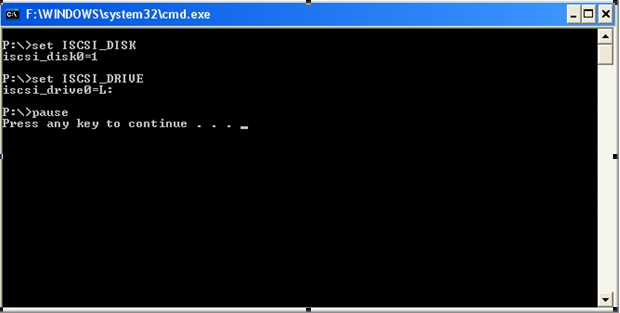
The following figure displays the output of the batch file.
Here is a script that can be used for data path preparation within Double-Take Flex. It assumes that drive I:\ is not in use on the local system where the Flex servers are running. It is useful because the user or client data path feature requires that the data path be partitioned and formatted prior to usage by a Double-Take Flex Client or user.
The script file will:
=================================================
@echo off
c:
cd \Documents and Settings\Administrator.FLEX-PDC\Desktop
echo list disk > listdiskinfo.scs
echo list volume > listvolinfo.scs
type listdiskinfo.scs > listalldriveinfo.scs
echo. >>listalldriveinfo.scs
type listvolinfo.scs >> listalldriveinfo.scs
cls
echo Current disk information:
diskpart /s listalldriveinfo.scs
echo.
echo Press any key to continue...
pause > nul
echo sel disk %iSCSI_disk0% > CreatePartition.scs
echo. >> CreatePartition.scs
echo clean >> CreatePartition.scs
echo. >> CreatePartition.scs
echo cre par pri >> CreatePartition.scs
echo. >> CreatePartition.scs
echo sel par 1 >> CreatePartition.scs
echo. >> CreatePartition.scs
echo assign letter=i >> CreatePartition.scs
echo. >> CreatePartition.scs
echo exit >> CreatePartition.scs
diskpart /s CreatePartition.scs
format i: /fs:ntfs /q /y
echo list disk > listdiskinfo.scs
echo list volume > listvolinfo.scs
type listdiskinfo.scs > listalldriveinfo.scs
echo. >>listalldriveinfo.scs
type listvolinfo.scs >> listalldriveinfo.scs
cls
echo New current disk information:
diskpart /s listalldriveinfo.scs
echo.
echo Press any key to continue...
pause > nul
echo sel disk %iSCSI_disk0% > ViewDataPathDiskInfo.scs
echo. >> ViewDataPathDiskInfo.scs
echo detail disk >> ViewDataPathDiskInfo.scs
echo. >> ViewDataPathDiskInfo.scs
cls
echo Disk %iSCSI_disk0%, drive letter I: has been formatted.
echo Here are the details.
diskpart /s ViewDataPathDiskInfo.scs
echo.
echo Press any key to exit and delete temporary .scs script files
pause > nul
del *.scs
=================================================